Offline presentation tool: present without Wi-Fi.
An offline presentation tool lets a rep open and present sales content on a phone, tablet, or laptop with no internet connection. A real one goes further than a deck saved to the desktop: supported assigned content is downloaded to the device, synchronized content controls apply, and presentation activity is recorded for synchronization when a connection returns.
Is a cached file the same as an offline mode?
Most sales tools advertise an offline mode. In practice it means the last few files a rep opened are cached, and everything else stops working. Search goes dark because it runs on the server. Video buffers forever because it was streaming. The forms stop submitting. The analytics record nothing.
That is fine when connectivity is the norm and the gap is the exception. It fails in the places field reps actually work: operating rooms, cath labs, hospital sub-basements, plant floors, mechanical rooms, loading docks, rural territories, and any customer site where guest Wi-Fi is captive or blocked.
That moment is the entire argument for offline presentation. Not convenience, and not a nice-to-have for travel. It is whether the meeting happens at all.
What does a real offline presentation tool need?
The full assigned library is on the device
Not thumbnails, not the recently viewed list, not placeholders that spin and fail. Everything the rep is entitled to carry, resident locally.
Search runs locally
A rep who cannot find the file might as well not have it. Local indexing means search works with the network off.
Media is stored, not streamed
Video and rich media play from the device instantly. Nothing buffers in front of a customer.
Login survives the gap
Credentials are cached so the app opens in a dead zone without an authentication round trip.
Capture queues locally
Forms, signatures, and notes are collected on the spot and sync later.
Analytics are recorded on device
Pages viewed and seconds spent are logged offline and written to the server on reconnect, so there is no gap in the record.
An offline presentation tool keeps supported content and field workflows available without a connection after the initial download. Content updates, server synchronization, and queued sharing require connectivity; experiences that depend on external websites or APIs also need a connection.
What file formats can reps present offline?
Sales conversations are not one deck. A medical device rep might open a PowerPoint overview, jump to a PDF of the instructions for use, play a procedural video, show a 3D model of the implant, then pull a spreadsheet of sizing data. All in one meeting, all with no signal.
Files open inside the app rather than handing off to a third-party viewer, which is what keeps the analytics, the version control, and the security intact. If your source material is a slide deck that needs to behave like an interactive experience, see converting PowerPoint to HTML in vablet.
How is vablet different from opening a saved deck without Wi-Fi?
| Decks and PDFs on the device | vablet |
|---|---|
| Only the files that happen to be saved locally | The full assigned library, resident on the device |
| No guarantee the file is the current approved version | Superseded versions are replaced on the next synchronization |
| Linked video and fonts break without a connection | Media stored locally and plays instantly |
| No record of what was shown or for how long | Page- and media-level engagement captured offline |
| Sharing means an email, which means a signal | Share and capture offline, queued to send on reconnect |
| A lost laptop is a lost content library | Encrypted at rest, with remote wipe and content expiration |
Can reps share content and capture forms without a signal?
Share without a signal
A rep can send follow-up material to a customer from inside the meeting. The send is queued on the device and goes out the moment connectivity returns, with the share tracked like any other.
Capture on the spot
Fillable forms, signatures, sample requests, and notes are completed offline and sync back automatically. Field data stops depending on whether a rep remembers to re-enter it that evening.
Prove what happened
Marketing sees which files were presented, which pages held attention, and which content is never opened. In regulated selling that record is also evidence: proof that the approved version was the one shown.
Marketing controls it. Reps present it. The record shows it.
Ask us to turn off the network during the demo. That is the part worth watching.
The approved library, with or without a connection
Everything a rep can open has already been approved. Expired assets disappear on their own, even offline.
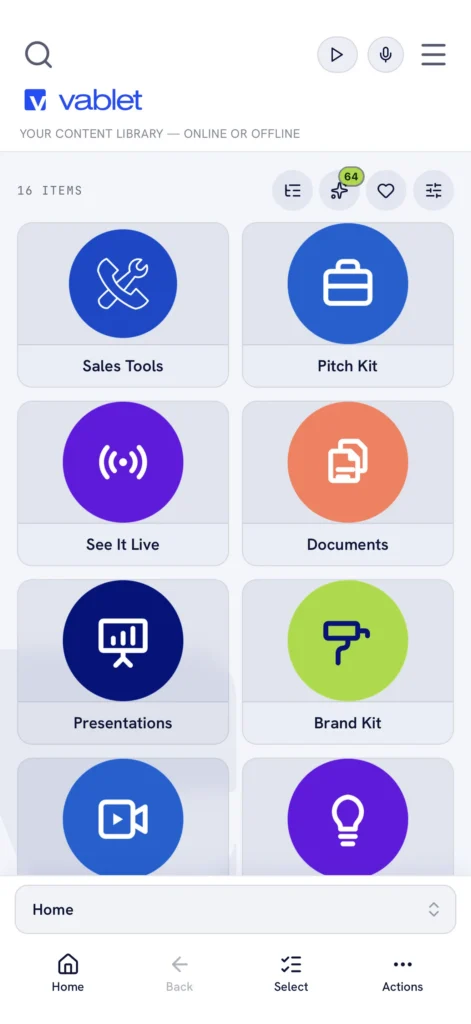
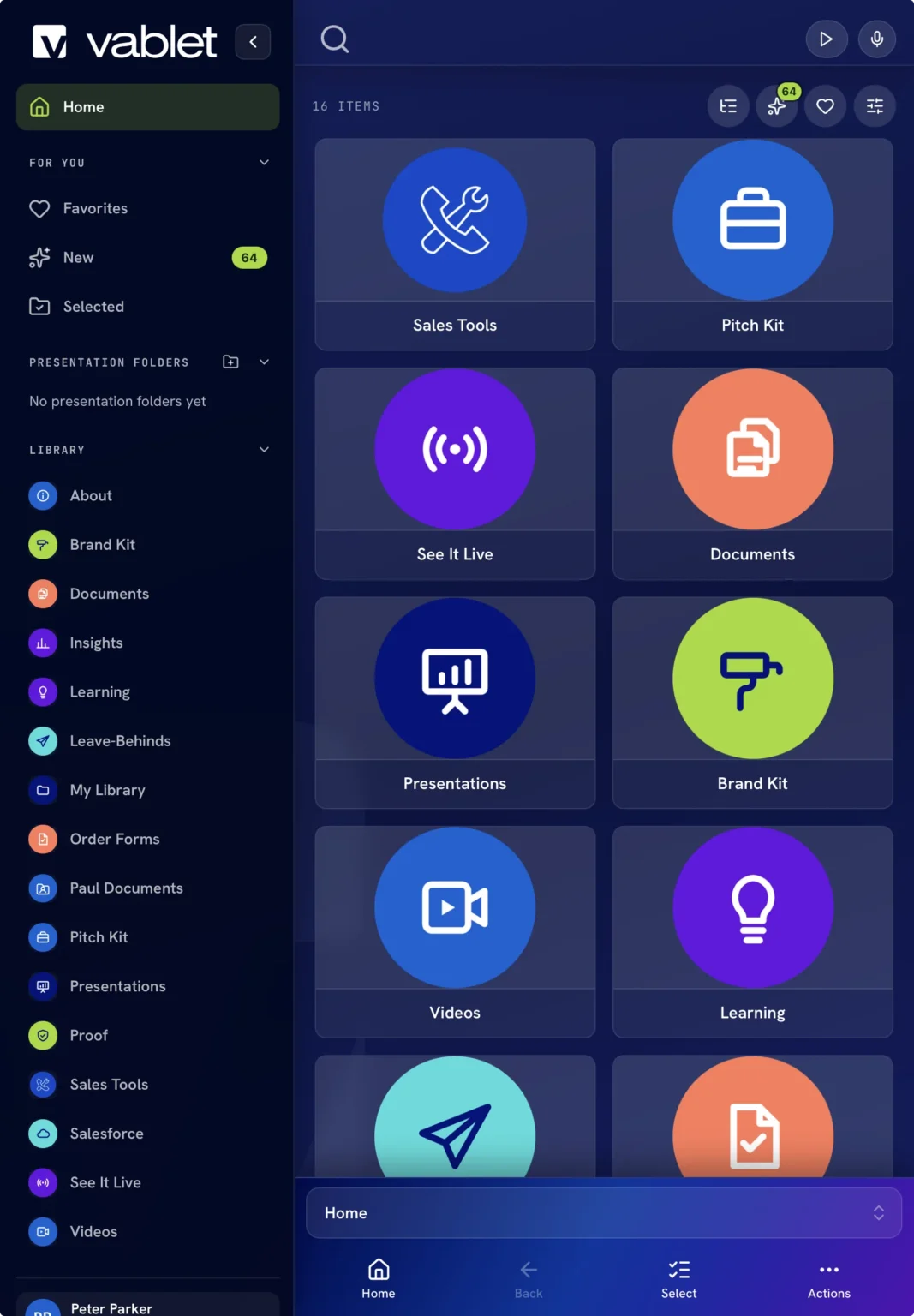
Same library, light or dark, any device
iPad, iPhone, Android, and Windows. Nothing for the customer to install.
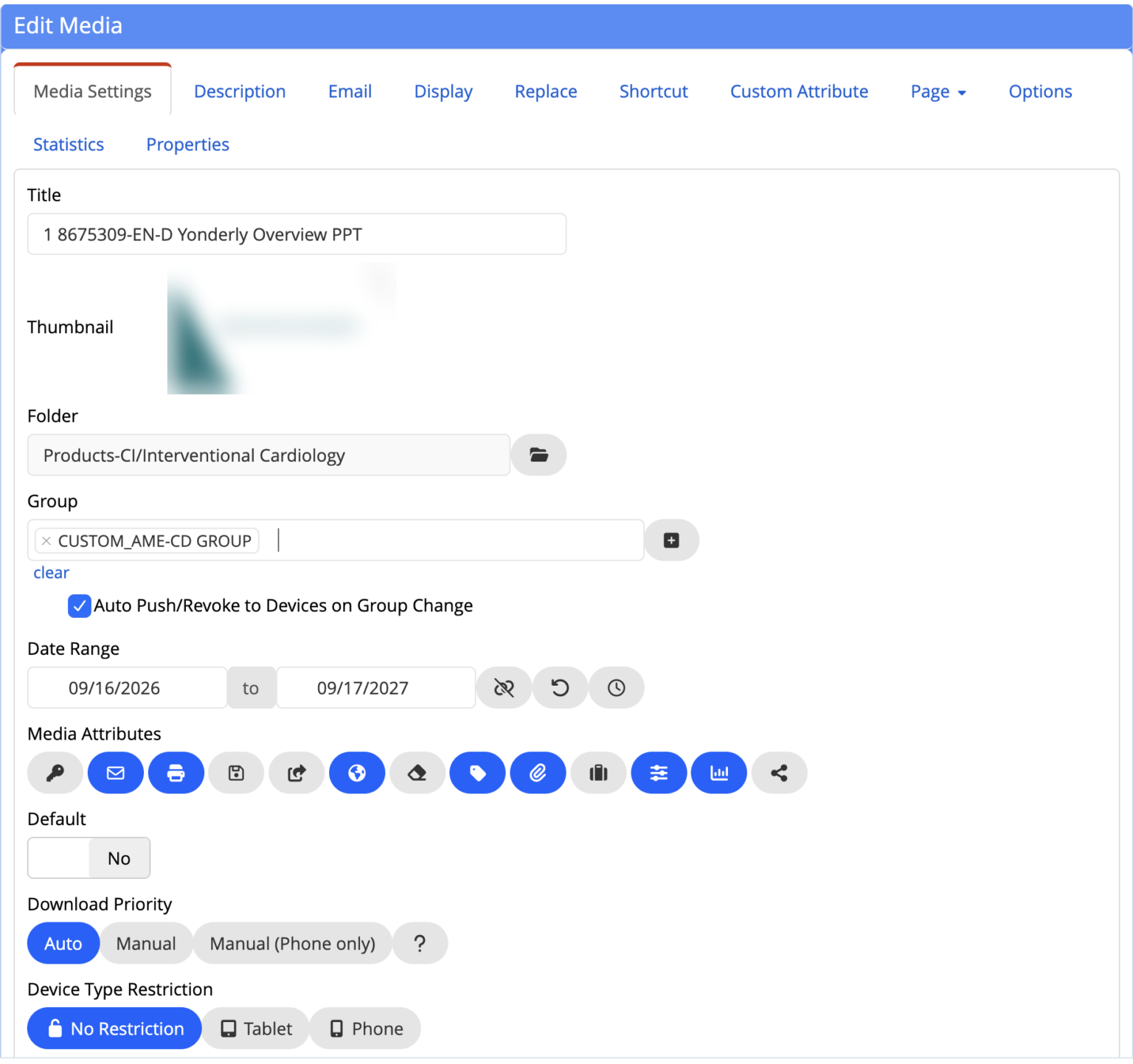
Approval window, audience, device rules: set once
Date range, groups, auto push and revoke on group change, download priority, and device restrictions on every file.
How does content stay current when devices are offline?
vablet runs on iOS, iPadOS, Android, and Windows, with a web app for desk-based users. For offline field use, download assigned content to the vablet app before disconnecting. Confirm supported formats and workflows on the devices your team uses.
The obvious objection to putting content on devices is that devices go stale. vablet handles that at the sync layer rather than by hoping reps refresh. Marketing publishes centrally. When a document is updated or a new approved version is released, the old file is removed from every device and replaced on the next sync, whether the rep does anything or not. Content can be assigned by user, group, territory, or product line, so a device only carries what that rep is cleared to show. Content can also be set to expire on a date, which matters when a claim is only approved through a fixed window.
The result is that offline access does not weaken content control. It is the mechanism that enforces it. For the governance side of this, see validated content deployment.
Which field teams need an offline presentation tool?
Medical device teams
Presenting in ORs, cath labs, and imaging suites where shielding defeats cellular, and where showing a superseded IFU is a compliance event rather than an inconvenience.
Pharmaceutical field teams
Detailing in clinics and hospital settings that do not admit vendor devices to the network.
Industrial and manufacturing sales
Working plant floors, mechanical rooms, and job sites where connectivity was never designed in.
Distributor networks
Selling your products on devices you do not own or manage. See distributor sales enablement.
vablet has been in daily use since 2010 across 60+ countries, with customers including Abbott, Baxter, Johnson & Johnson, and Merit Medical.
Offline presentation, answered.
What is an offline presentation tool?
An offline presentation tool is software that lets a rep open and present sales content on a phone, tablet, or laptop with no internet connection. Beyond simply opening a saved file, it stores supported assigned content on the device, applies synchronized content controls, records presentation activity, and syncs when connectivity returns.
Can’t I just use PowerPoint offline?
You can open a saved deck offline, but that is where it stops. You have only the files that happen to be on that device, no guarantee any of them is the current approved version, no record of what was shown, and no way to share or capture without a signal. Linked video and fonts frequently break as well. An offline presentation tool covers the whole meeting, not just the file.
What file formats can vablet present offline?
PowerPoint, PDF, Word, Excel, video, images, interactive HTML5 content, and 3D models. Files open inside the vablet app rather than handing off to another viewer, which is what preserves version control, analytics, and security.
Does video play offline?
Yes. Video is stored on the device rather than streamed, so it plays immediately with no buffering and no connection.
Can you track what a rep presented while offline?
Yes. vablet records what was opened, which pages were viewed, and for how long, then writes those events to the server when the device reconnects. Offline meetings are not a gap in your analytics.
Can a rep share content with a customer while offline?
Yes. The rep sends follow-up material during the meeting and the send is queued on the device, going out automatically once connectivity returns. The share is tracked like any other.
Which devices does vablet support?
vablet supports iOS, iPadOS, Android, and Windows, plus a web app. Download assigned content to the vablet app before working offline, and confirm supported formats and workflows on your team’s devices.
How does content stay current if devices are offline?
Content is published centrally and synced to devices. When a file is updated or superseded, the old version is removed from every device and replaced on the next sync, without the rep doing anything. Content can also be set to expire on a date.
Is content secure once it is on the device?
Content is encrypted at rest in the app, admins can request remote removal, and files can be set to expire. Remote changes reach a device when it connects; previously synchronized expiration rules can apply offline. Because vablet controls the content layer rather than the device, no MDM enrollment is required.
What happens to forms filled out with no connection?
Forms, signatures, and notes are completed offline and queued on the device, then sync back automatically when the device reconnects.
Ask us to turn off the network during the demo. That is the part worth watching.
Twenty minutes, your content, on a real device, no signal, and the record it leaves behind.
Live in weeks. No implementation fee. $25 per user per month, MSRP.